Context
Wringly is a concept smart-ring companion - made with Lovable - that pushes back against how wearable health apps actually feel today. Notifications compete for attention, charts fight for space, and the net result is anxiety instead of insight. The brief was the opposite: surface the smallest set of honest signals that help someone understand how their body is doing today, and trust the product enough to come back tomorrow.
Three principles shaped every decision. One score per question - how did I sleep? one number. am I ready? one number. Calm by default - dark theme, restrained motion, generous whitespace, never a demand. Bring your own ring - don't gate the experience on proprietary hardware; sync from any wearable the user already owns.
Process
A cinematic dark theme
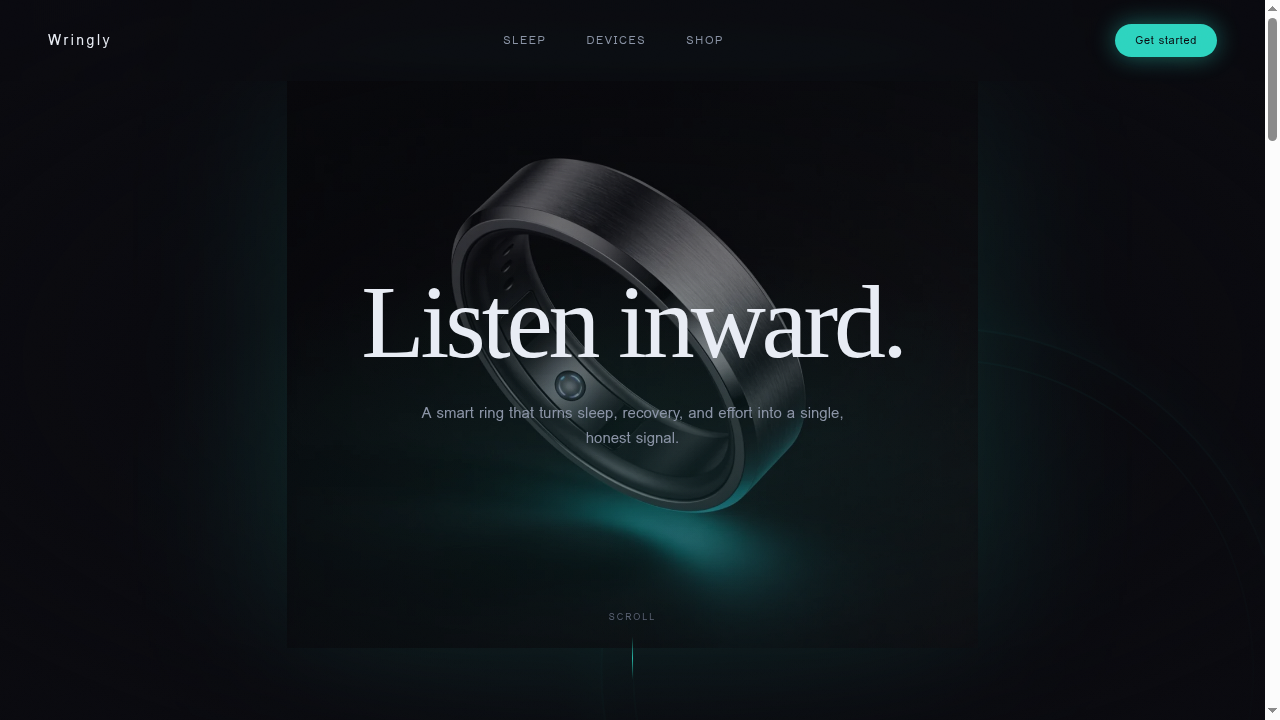
The visual language pulls from Oura's ambient calm and high-end audio gear. Three moves anchor the brand: deep space backgrounds instead of pure black so contrast stays soft for long sessions, a muted electric teal used sparingly as the only accent, and a two-typeface pairing - Fraunces for warm editorial headlines, Inter for neutral technical body - whose tension carries the whole brand.
Landing - earning the click
The hero pairs a slow-rotating product shot with a single line of copy. The ring sits inside a teal halo that pulses gently. As you scroll, the ring drifts down and fades while the headline floats up - a subtle parallax that makes a flat web page feel cinematic.
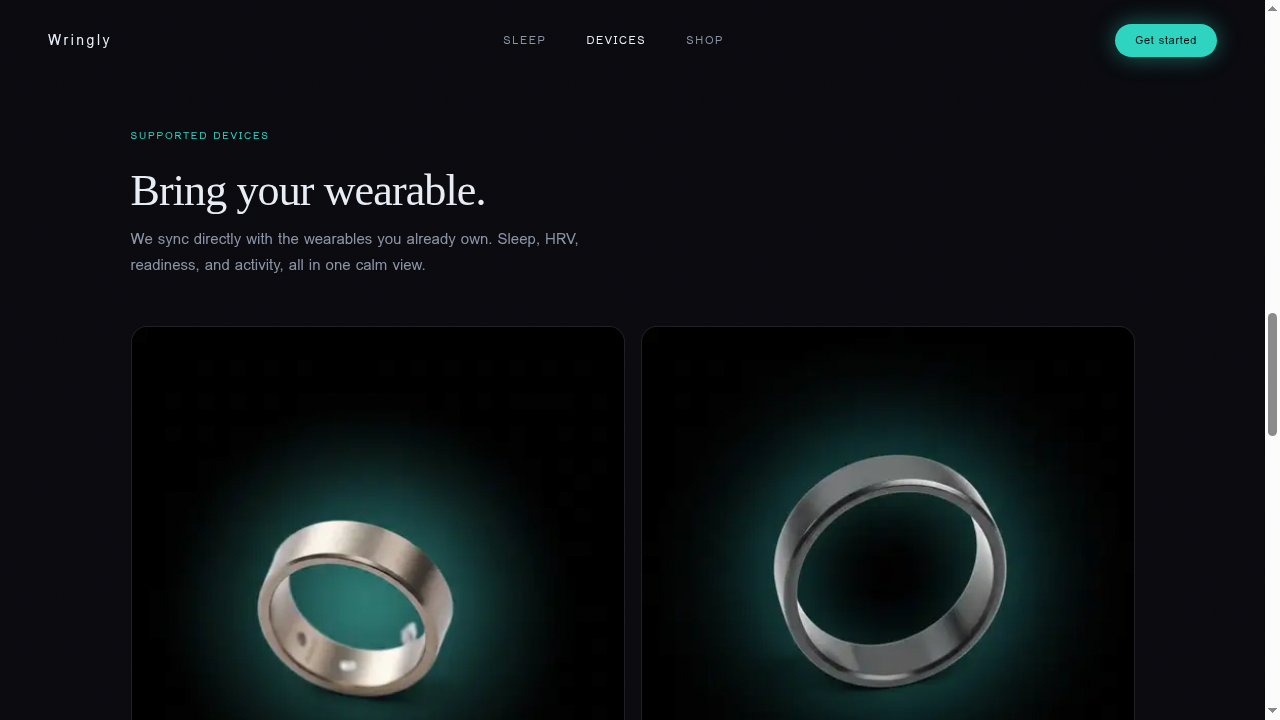
Below the fold, the Devices section answers the buyer's first question (do I have to buy your hardware?) with two supported wearables and two upcoming first-party devices. All product photography was regenerated against the same dark background so nothing breaks the visual continuity.
Auth - half product, half brand
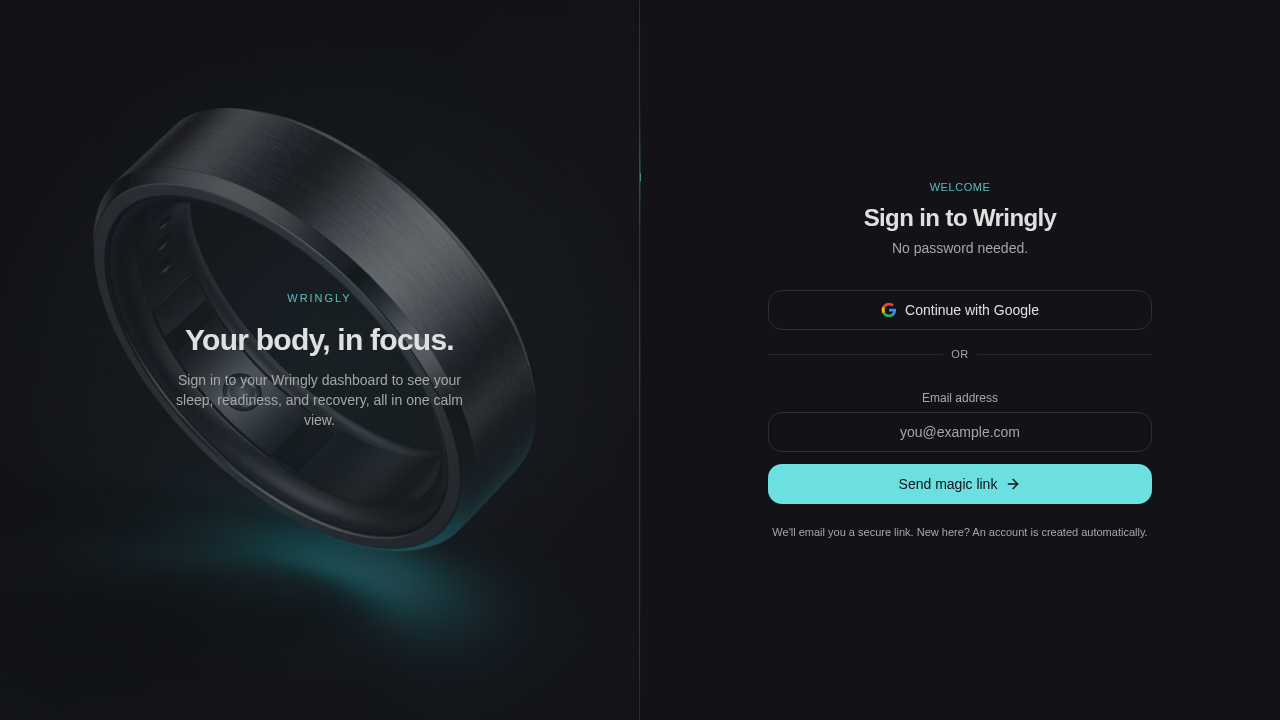
The sign-in screen is split: brand on the left, action on the right. No password - just Google sign-in or a magic-link email. This removes a common drop-off point (forgotten passwords) and matches the calmer-than-average personality of the product.
Dashboard - the daily summary
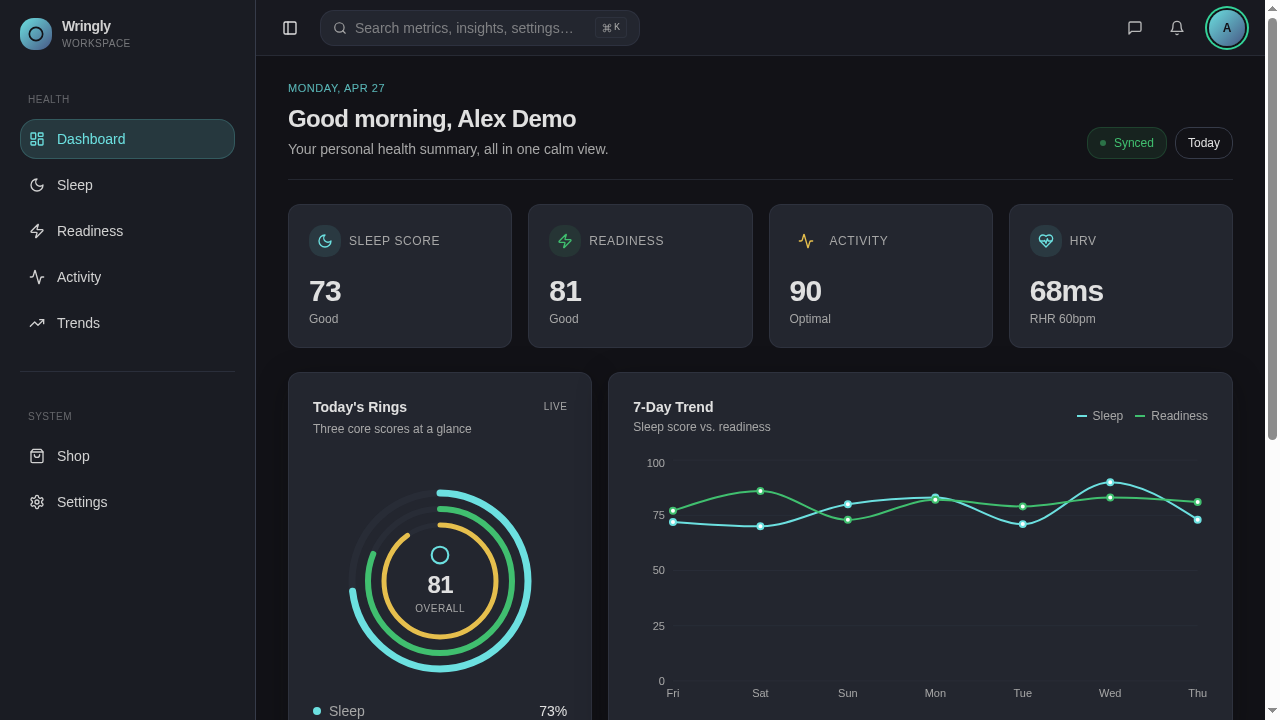
The dashboard is the product's center of gravity. Four key stats across the top, then today's three rings - sleep, readiness, activity - next to a 7-day trend line. Everything a user needs to read their morning in under five seconds. Every health page shares the same shell - collapsible sidebar, search bar, clean page header - so new pages take a fraction of the time to build.
One question per page
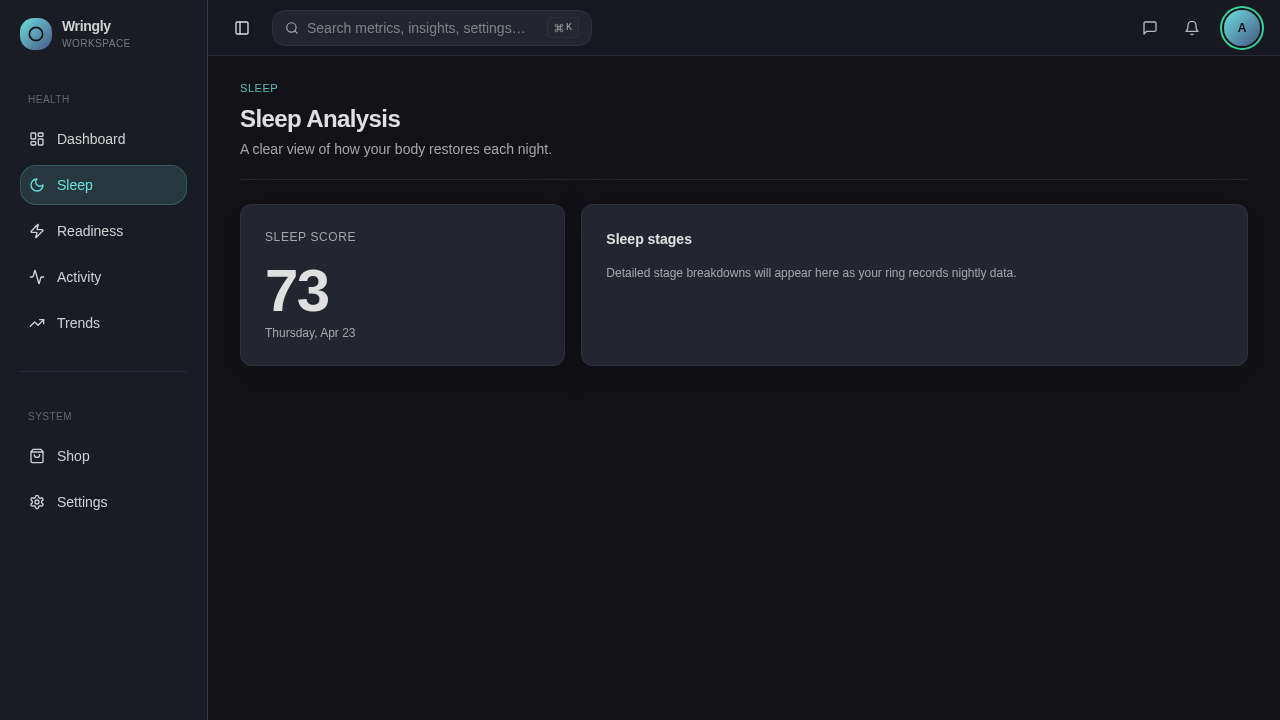
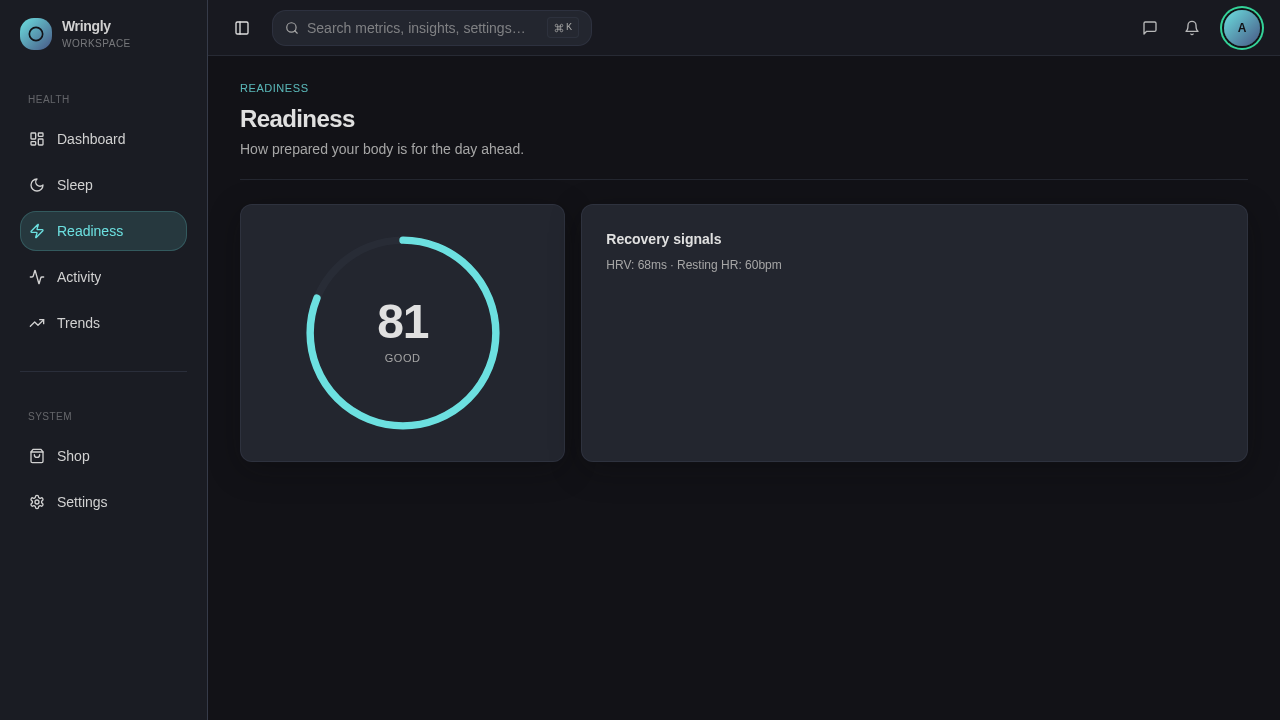
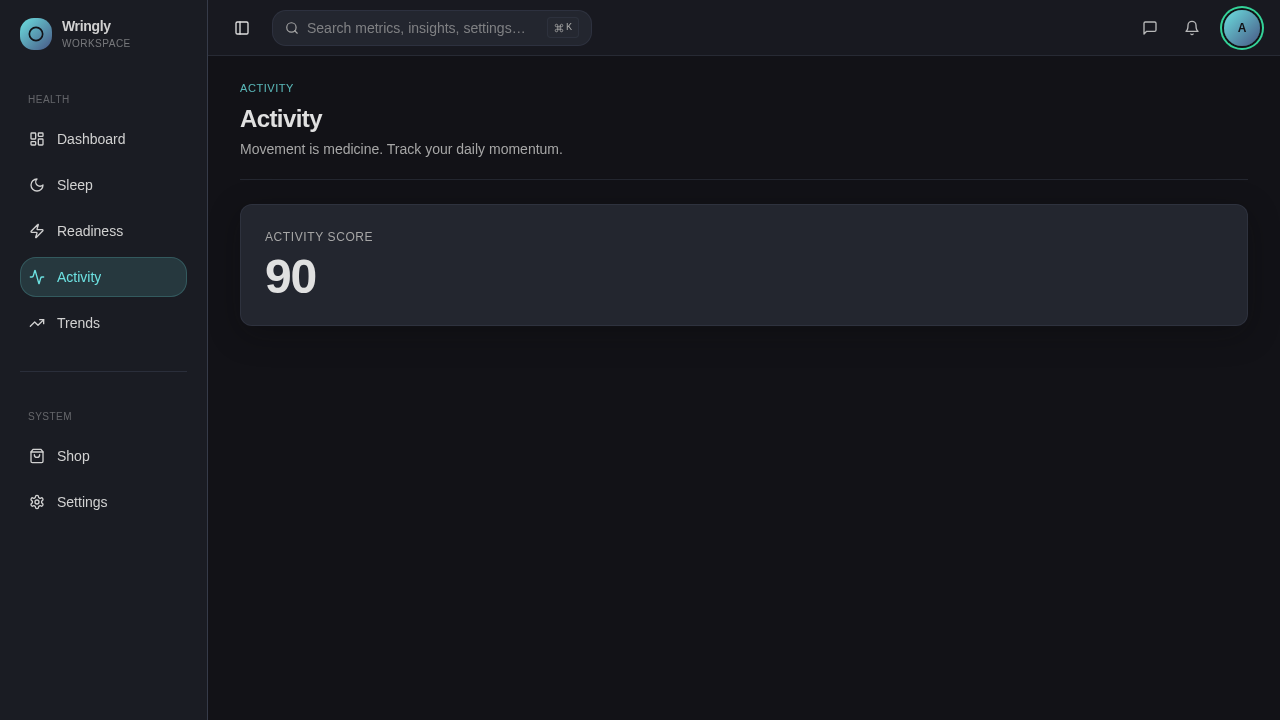
Each health page answers exactly one question. Sleep shows the score and how the night broke down. Readiness shows the score and the recovery signals behind it. Activity surfaces effort. The pages are intentionally sparse, leaving room to grow once real users tell us what they want to dig into.
Trends - the long view
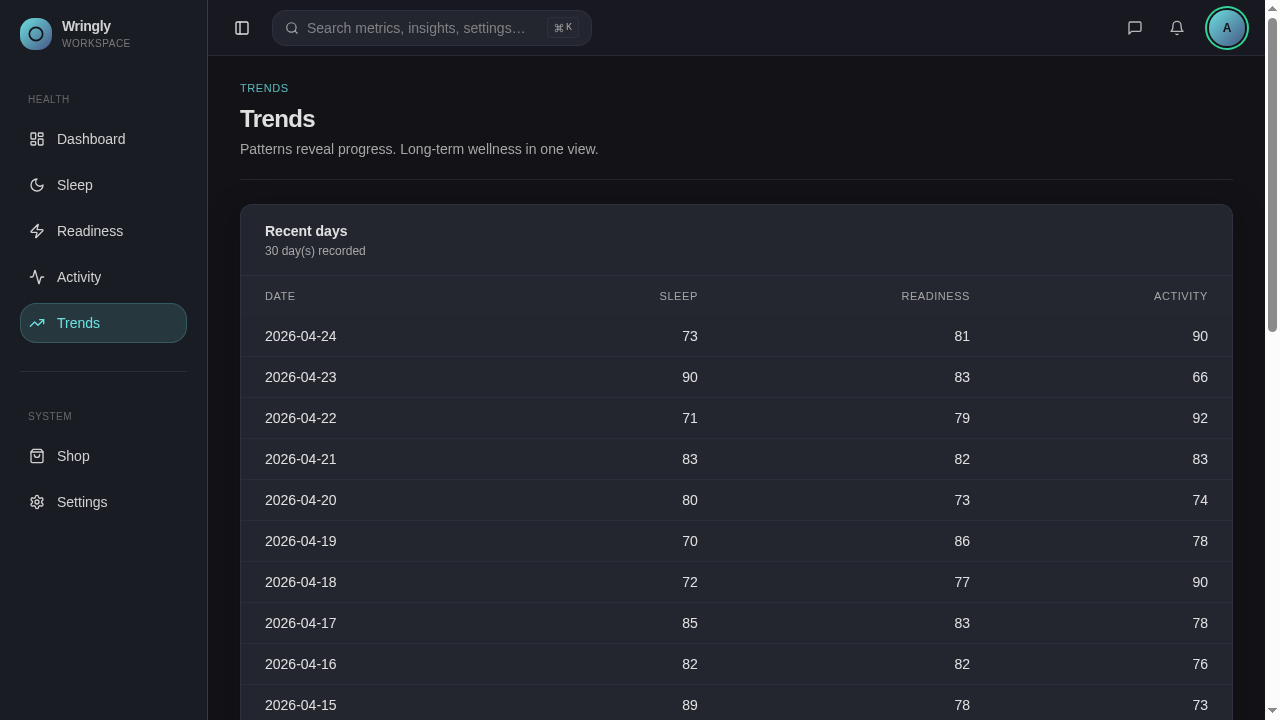
Patterns matter more than any one day. Trends shows 30 days of scores in a clean table, with richer charts planned for the next version. Starting with a table meant it shipped immediately and works well for screen readers - the floor, not the ceiling.
Shop and Settings
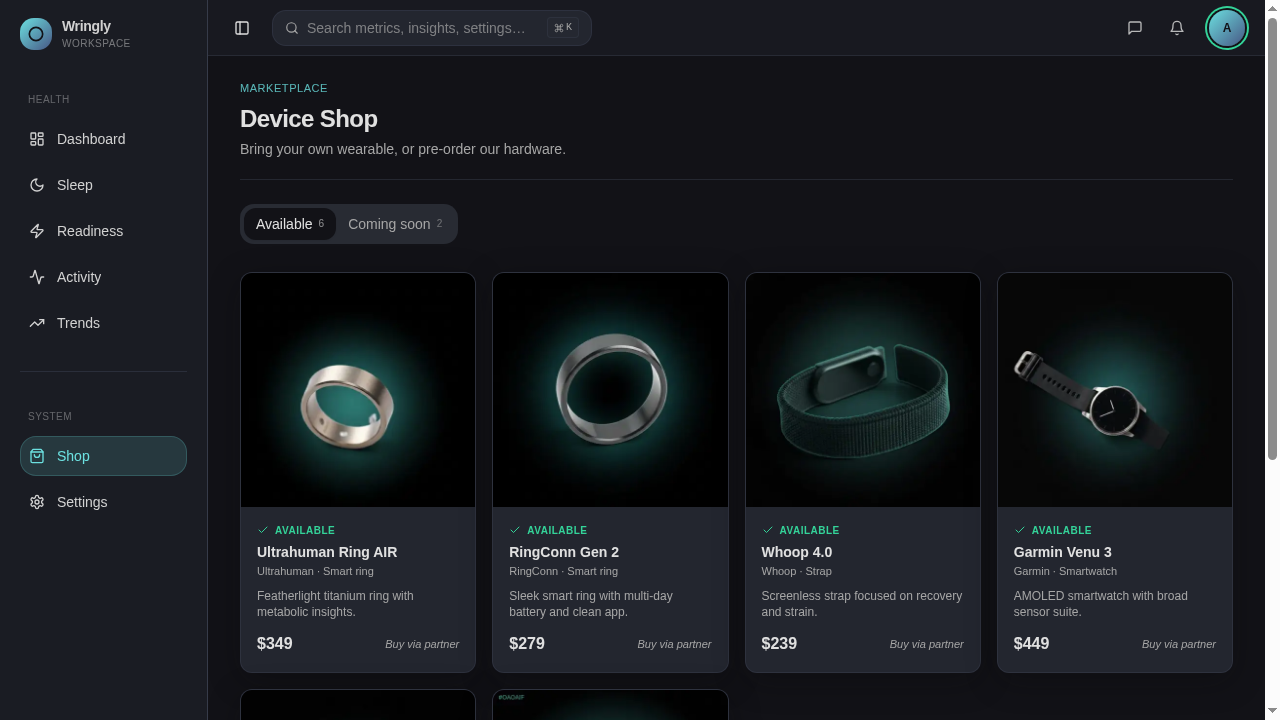
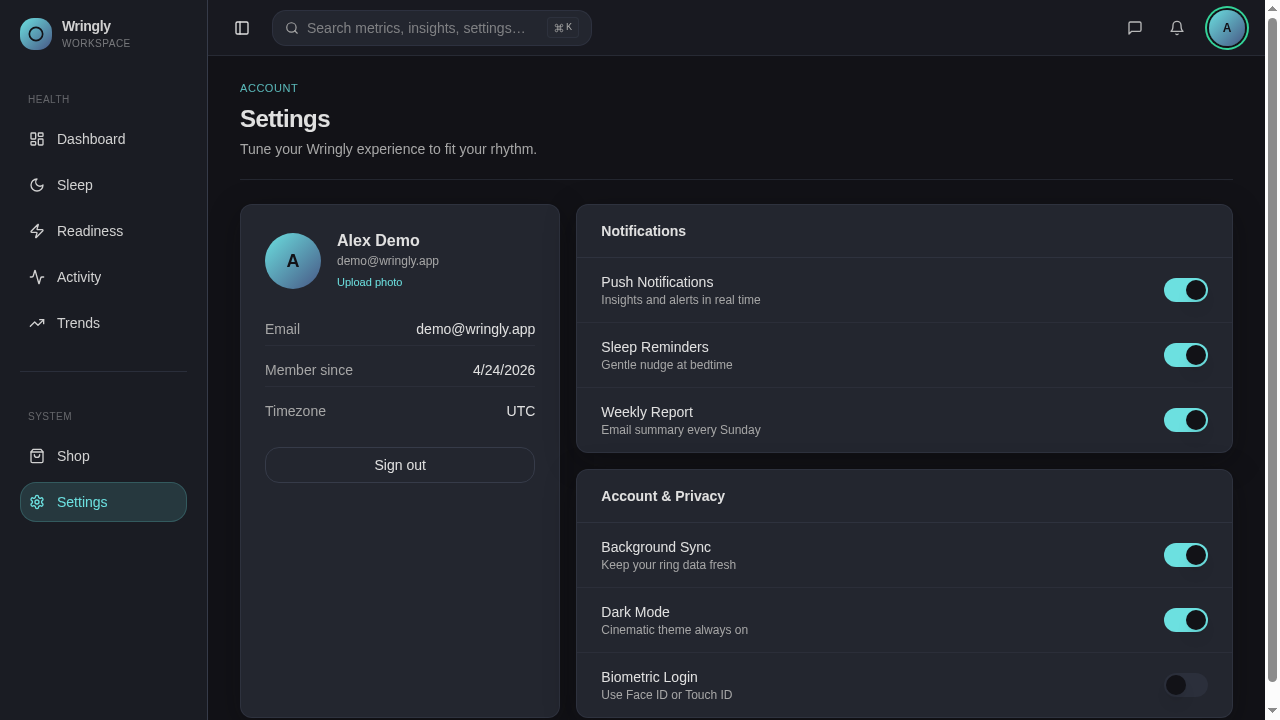
The Shop doubles as a buying page and a "what we support" page, with cards that toggle between Available and Coming soon. Settings is one screen for profile, notifications, privacy, and sign-out. No nested menus.
What's under the hood
AI chatbot - a floating button opens a chat that can answer questions about your data, with safe limits on how much context it can take in.
Privacy-first storage - profile photos are kept private and shown to the right person via short-lived signed links, not public URLs.
Sensible auth - magic links instead of passwords, and a clean handoff between the email click and the dashboard.
Performance - small images, lazy-loaded pages, and smart caching so the dashboard never feels slow or empty.
Outcome
Wringly proves that a wearable companion can feel like a calm morning ritual instead of another anxiety feed. The one-score-per-question rule was the highest-leverage constraint: it forced every page to earn its place, and it made the dark, editorial identity stay consistent across landing, auth, dashboard, and five health surfaces.
On the roadmap: real device sync with Apple Health and Google Fit, helpful-or-not feedback on AI insights so the prompts keep getting better, a native wrapper for Face ID and fingerprint sign-in, and richer Trends charts on top of the table baseline.